Pandas Word Search Puzzles as a Practical Resource for KDP Activity Book Interiors
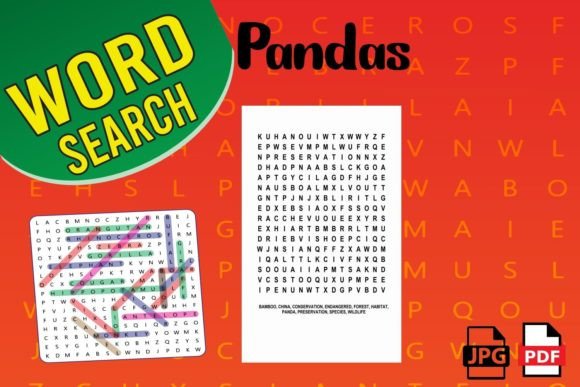
Creating a clean, engaging activity book for Amazon KDP requires more than a good idea—it demands reliable, print-ready assets that slot into a production workflow without friction. A set of Pandas Word Search Puzzles addresses that need directly, offering structured content you can adapt for book interiors, educational materials, or promotional giveaways. Rather than building every puzzle from scratch, you start with pre-made, high-quality files that already account for formatting, readability, and the specific technical requirements of print-on-demand platforms.
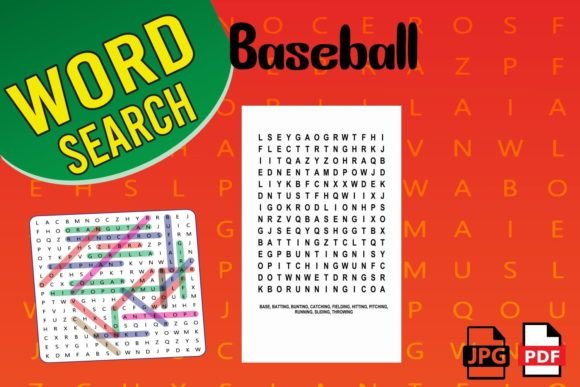
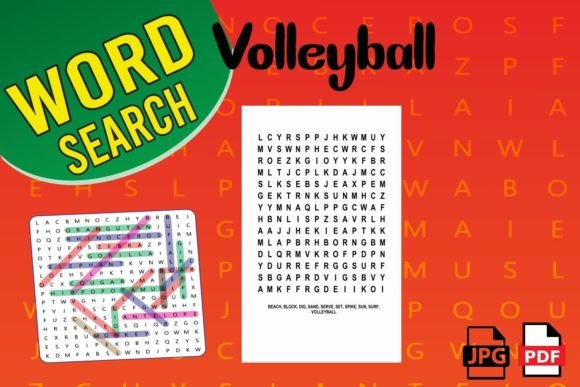
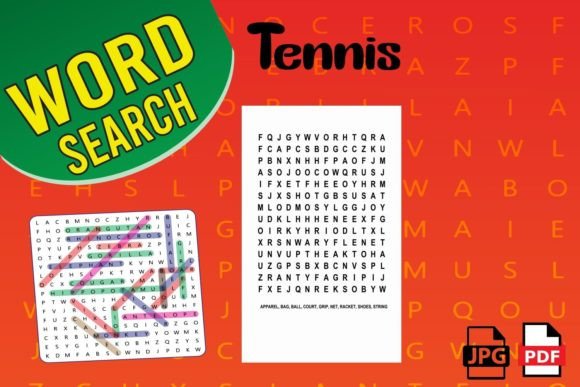
In practice, this means you’re not just buying a puzzle sheet. You’re acquiring a component that reduces preparation time, minimizes formatting errors, and keeps your project timeline intact. The package includes 3 PDF pages of word search content, a high-quality print-ready PDF file, 3 JPG files, and a large 8.5 x 11 inch trim size that matches standard activity book dimensions. These aren’t incidental features; they are the difference between a smooth upload to KDP and hours of manual adjustment.
Understanding Where Pandas Word Search Puzzles Fit in a Broader Production Process
If you’ve ever assembled a low-content book, you know that the final interior PDF must meet strict bleed, margin, and resolution standards. A word search puzzle created in a typical word processor often introduces subtle alignment shifts or font embedding issues. By using a dedicated print-ready package, you bypass those common pain points. The Pandas Word Search Puzzles set is built for immediate insertion into a book manuscript, whether you’re combining multiple puzzle types or releasing a single-subject activity book.
Think of these puzzle pages as modular content blocks. You can place them before or after other puzzle types—crosswords, mazes, sudoku—to create variety within a themed book. For a productivity-minded creator, this modularity supports batch production. Instead of interrupting a design sprint to troubleshoot a misaligned grid, you drop in a page that’s already tested for print consistency.
This asset also works well beyond KDP. Educators and event planners can use the JPG files to generate quick classroom handouts, activity station sheets, or newsletter inclusions. The combination of PDF and JPG formats means the same puzzle can serve a print book and a digital download product without redundant design work.
How the File Formats and Dimensions Support Real Workflows
Every creator has their tool stack. Some work entirely in Canva, others rely on Affinity Publisher, InDesign, or even PowerPoint to lay out interiors. The provision of 3 JPG files alongside a print-ready PDF isn’t redundancy; it’s compatibility. You can drop a high-resolution JPG into any visual editor, resize or layer it with decorative borders, and export the final combined PDF. For those who prefer direct PDF insertion, the provided file is already optimized—fonts are embedded, elements are vector-based where possible or rasterized at appropriate DPI, and the page box is set to the exact 8.5 x 11 inch specification.
The 3 PDF pages of puzzles aren’t always about having three different puzzles. Often, one puzzle may serve as the activity page, another as a solution page, and a third as a title or instruction page. With these components, you can quickly assemble a complete section in your book without hunting for matching complementary pages. This pre-coordinated structure saves mental bandwidth during layout, particularly when you’re working on a larger volume with dozens of puzzles.
Consistency is a quality-control factor that directly affects customer reviews. KDP buyers have little tolerance for puzzles that run off the page or fonts too small to read comfortably. By starting with an asset designed for large-print readability on an 8.5 x 11 inch canvas, you ensure that each grid and word list maintains generous spacing. This is especially important for an audience that may include older adults or individuals with visual processing preferences, a common demographic for activity books.
Preparation and Quality Assurance Before Upload
Integrating a pre-made puzzle into a book is more than a copy-paste action. To maintain E-E-A-T principles—demonstrating experience and authority in your finished product—you should perform a few intentional checks. First, open the PDF in a program like Adobe Acrobat or a print preview tool to confirm that all elements fall within the safe zone, typically a quarter-inch inside the trim edge. The provided file is built with this in mind, but verifying it against your specific template prevents last-minute surprises.
For the JPG files, check the resolution at the intended print size. Most print-on-demand services recommend 300 DPI. If you resize the image in your layout software, avoid scaling above 100% of the original dimensions, as upsampling can introduce blur. Because the Pandas Word Search Puzzles are designed at the exact 8.5 x 11 inch size, resizing is rarely needed—another friction point removed.
Practical Integration Scenarios for Different Creators
Consider a freelance KDP publisher who runs a series of themed activity books. They might plan a “Wildlife Puzzles” collection that includes a panda section. Instead of researching panda terminology, laying out a grid from scratch, and testing multiple fonts, they acquire the word search set. They place the PDF pages into their InDesign master document, adjust the surrounding pages for cohesive styling (maybe adding a matching bamboo-themed border), and export. The process takes minutes, not hours, and the output is reliably professional.
A small business owner using activity sheets as part of a customer engagement strategy can benefit differently. They might insert a JPG into a branded email newsletter, offering a weekly puzzle as a gentle marketing touch. The Pandas Word Search Puzzles become a lightweight content asset that requires no ongoing design maintenance. Since the files are already clean and attractive, the business owner focuses on scheduling and distribution rather than puzzle creation.
Educators and homeschooling parents often build their own workbooks for specific units. A study on endangered species or habitats naturally aligns with panda-themed content. Here, the JPG files can be placed into a document alongside reading passages and discussion questions. The word search acts as a reinforcing activity, not the core lesson, so its ready-made nature saves prep time. The educator can print directly from the PDF, confident that the large format works well for classroom handouts.
How the Puzzle Set Interacts with Other Tools and Platforms
Your design workflow likely involves layers: a template, a font stack, decorative elements, and your puzzle pages. The Pandas Word Search Puzzles interact with these elements differently depending on your platform. In Canva, you would upload the JPGs and drag them onto your page, then use Canva’s frames and grid tools to ensure alignment with your trim marks. Because the JPG is flat, you don’t need to worry about text frames shifting. In a more advanced layout tool like InDesign, you might place the PDF page directly. If you have a slight margin difference from the original, you can adjust the frame without altering the puzzle content, but the 8.5 x 11 inch base gives a known anchor point.
For those who offer both print and digital versions, the same puzzle can be extracted from the PDF and saved as a fillable worksheet. This may require additional software, but the clean, high-contrast design makes the puzzle OCR-friendly if you want to create an overlay. The flexibility to repurpose the content across formats increases the return on the small investment in the asset.
Long-Term Use and Reusability Across Projects
An often-overlooked benefit of a well-made puzzle set is its reusability. While you wouldn’t use the identical puzzle in multiple books sold on the same marketplace (to avoid content duplication), you can absolutely reuse the asset across distinct product lines with modification. Add a different background, change the title, or combine it with other puzzle types to create a fresh collection. Because the core puzzle is a self-contained unit, it becomes part of your library of components that you can remix over time.
Organizing such assets effectively supports long-term efficiency. Keep the original files in a clearly labeled folder—by theme, puzzle type, or project. If you ever need a quick panda puzzle for a seasonal activity book, you can retrieve it instantly. The 3 PDF pages structure also makes it easy to preview the content without opening heavy design files. This kind of organizational discipline is what separates creators who ship consistently from those who burn out on repetitive tasks.
Minimizing Common Pitfalls When Using Pre-Made Puzzles
Even with a print-ready resource, a few implementation mistakes can creep in. One is assuming that the PDF’s color profile matches your print provider’s preference. Most KDP books are printed in standard CMYK or grayscale. Check the file’s color space and convert if necessary, though the puzzles are typically designed in black and white to avoid any conversion issues. Another pitfall is forgetting to include solution pages when the puzzle set provides them. If your product listing promises solutions but you accidentally omit the provided answer key, you invite negative reviews. Treat the puzzle set as a complete section that includes everything needed for a reader to have a satisfying experience.
Accessibility also factors into quality control. A word search puzzle with a large font, clear letter spacing, and simple design reduces eye strain. The panda theme adds appeal without compromising clarity. When you place these pages into your book, avoid placing critical puzzle elements too close to the gutter. Since the puzzle is centered on an 8.5 x 11 inch portrait page, you have ample room to shift the entire puzzle slightly away from the binding edge in your layout software. This small adjustment shows attention to the user’s physical reading experience.
Efficiency Gains and Creative Control
The core value proposition of using pre-made Pandas Word Search Puzzles isn’t just time saved; it’s creative bandwidth preserved. When you’re not bogged down in grid construction and word list curation, you can spend more energy on your book’s cover design, overall theme, marketing copy, and customer research. For a productivity-minded creator, this is a smart allocation of effort. The puzzle becomes a known, reliable quantity in an otherwise unpredictable content creation process.
You can also use the puzzle set as a springboard for your own variations. Study the provided word list and grid structure to learn what makes an engaging, solvable puzzle. Then, if you decide to create your own panda-themed puzzles later, you have a working reference. This accelerates your skill development as a publisher while delivering immediate, usable content.
In a publishing landscape where speed to market matters, but quality determines repeat buyers, a balanced approach is essential. The Pandas Word Search Puzzles package doesn’t try to replace your design skills; it supplements them by taking care of the tedious, detail-oriented work. Whether you’re a seasoned KDP seller or a hobbyist creating a thoughtful gift, that reliability translates directly into a smoother publishing experience and a final product you can stand behind.